Directory & access
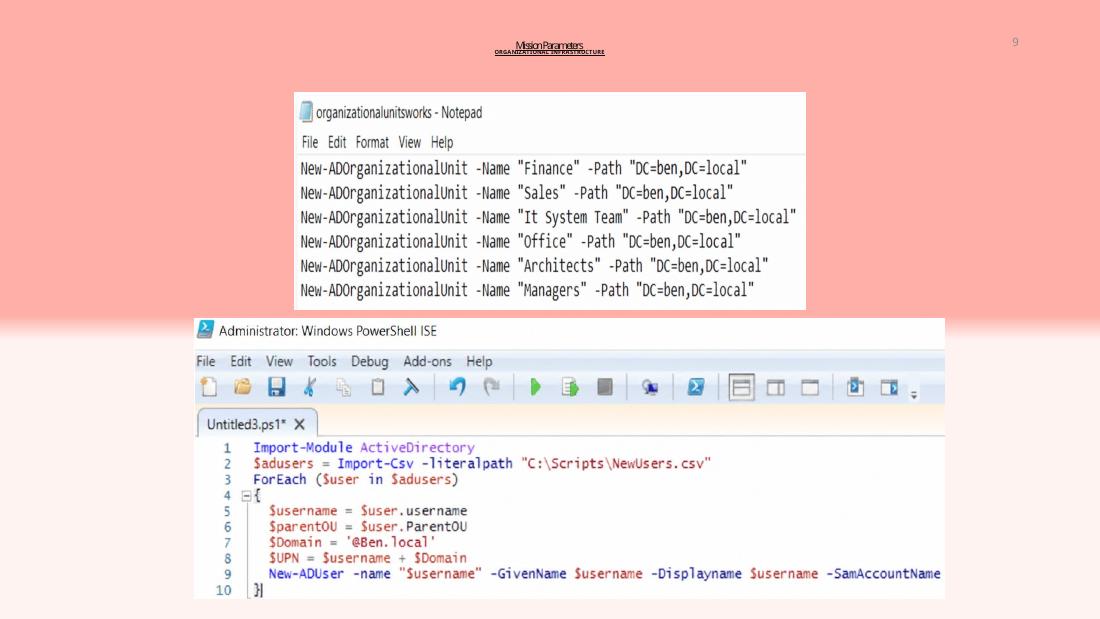
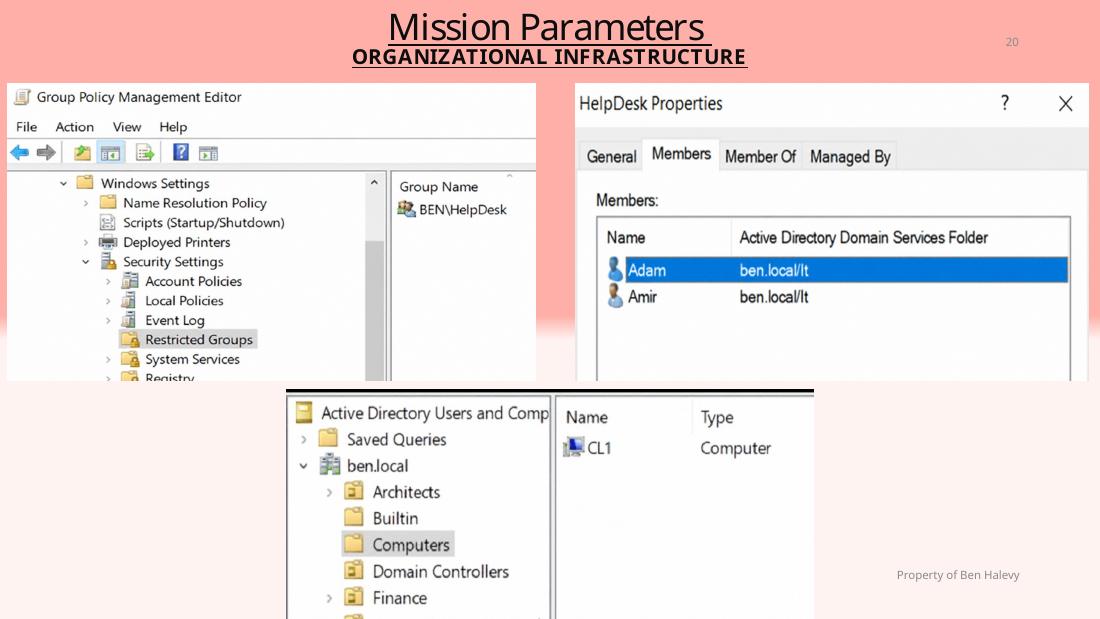
AD DS forest, six OUs, scripted user creation, delegated password resets, password policies and HelpDesk permissions.

An organization built from the network up. A documented Windows Server lab spanning identity, access, storage, networking, resilience, and deployment.
Start with an empty virtual network. Build the services, permissions, and endpoints needed to operate a multi-department environment.
Hyper-V · Windows Server 2019/2016 · Windows 10
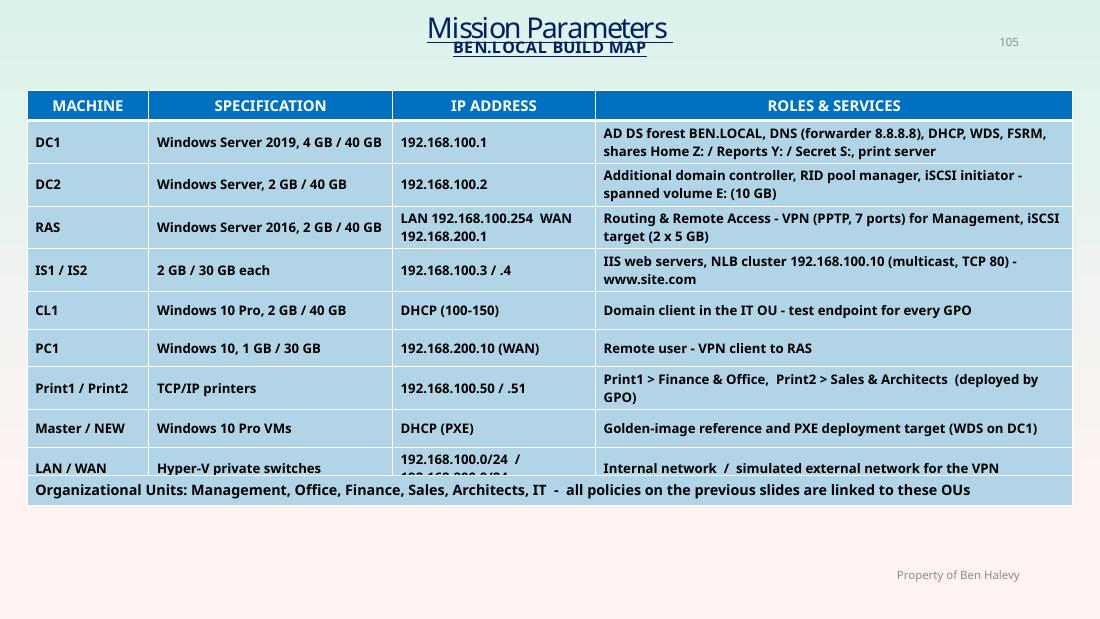
The architecture below is reconstructed from the project summary's machine and IP inventory. It is a logical overview, not a physical wiring diagram.
The work is organized around services that depend on each other—not a disconnected list of tools.
AD DS forest, six OUs, scripted user creation, delegated password resets, password policies and HelpDesk permissions.
GPO-based folder redirection, drive mapping, removable storage restrictions, application restrictions and software deployment.
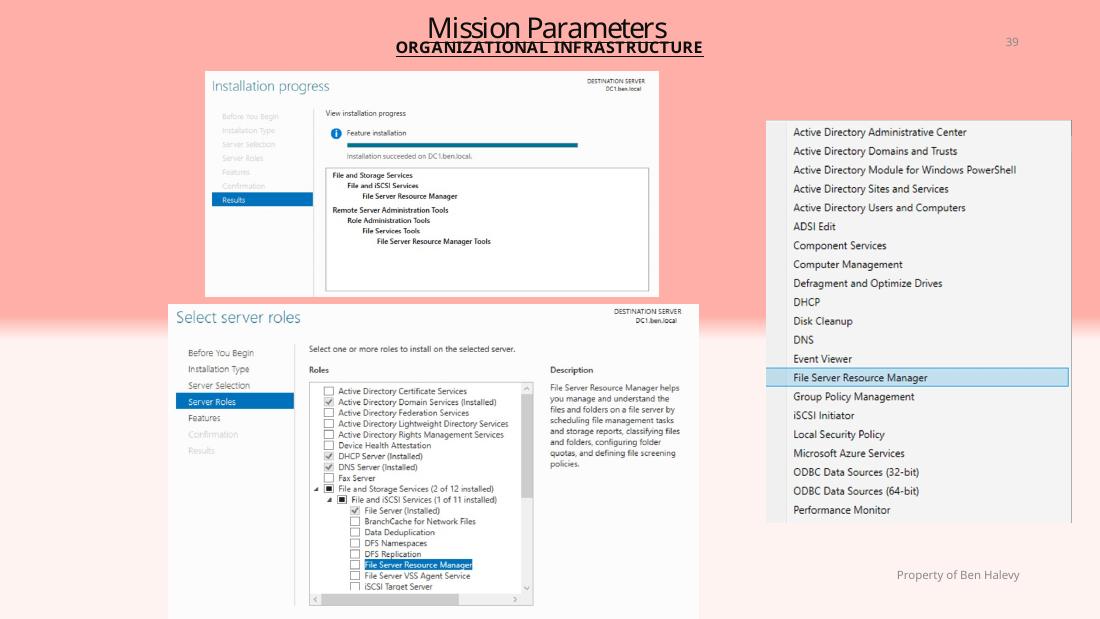
NTFS permissions, shared reports, FSRM quotas and file screens, shadow copies and iSCSI storage.
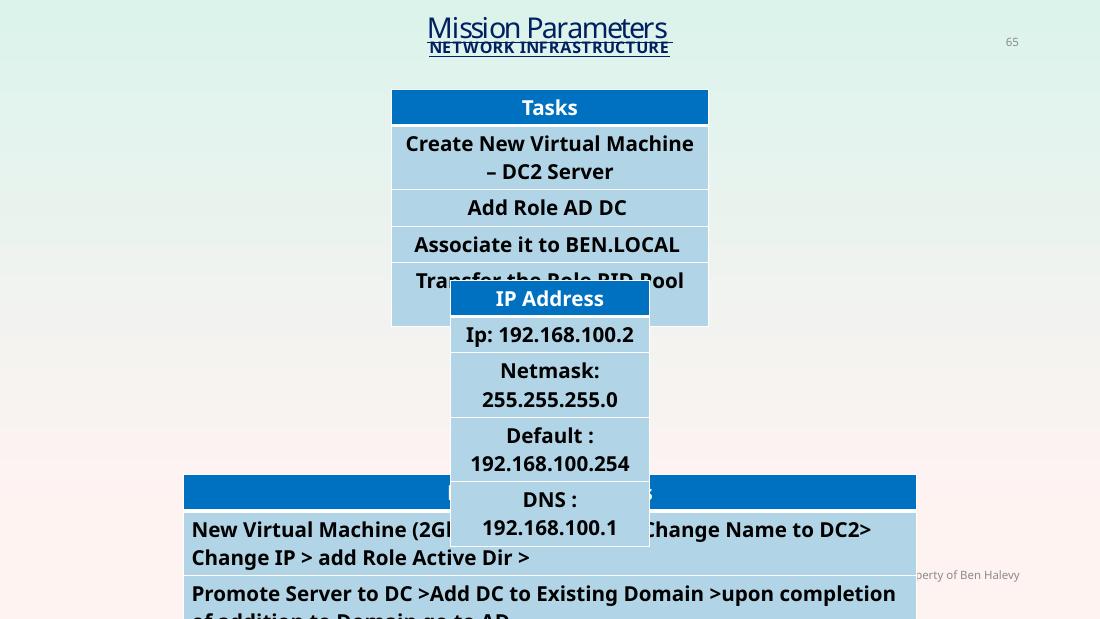
DHCP, DNS, routing and remote access, VPN lab configuration and a second domain controller.
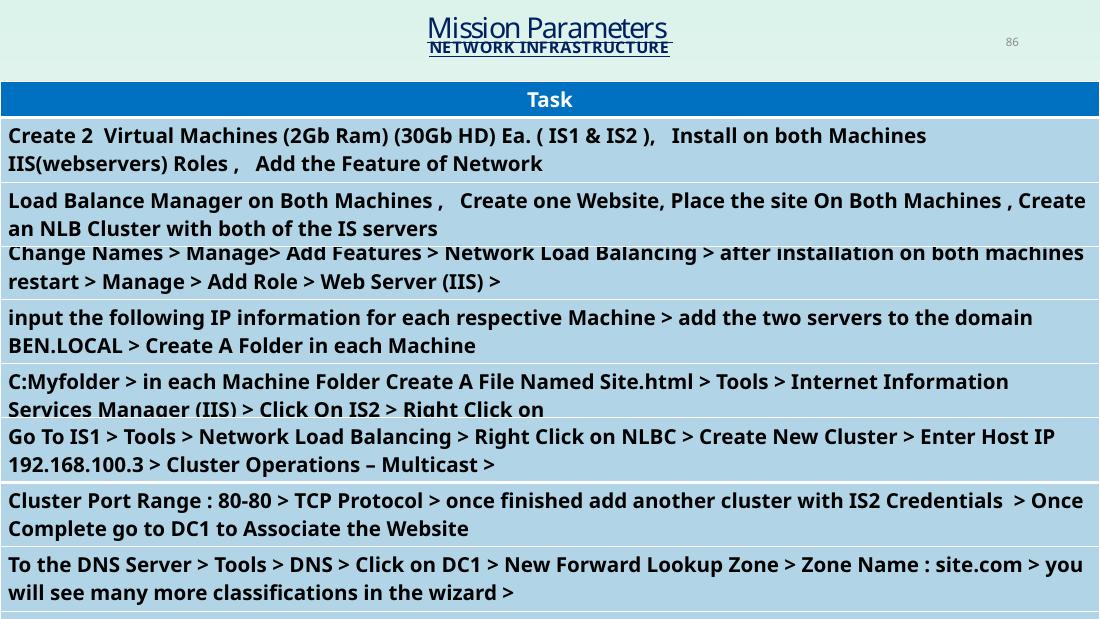
Two IIS servers, Network Load Balancing, network printer deployment and replication-related administration.
WDS, PXE, Sysprep and DISM procedures documented as a repeatable deployment workflow.
Screenshots reproduced from the original presentation. Select any image to inspect it at a larger size.
A technical portfolio is more useful when it includes what failed, not only what was configured.
The project records a conflict between File Server Resource Manager file screening and Group Policy editing on Windows Server 2019.
datascrn filter using fltmc unload datascrn, complete GPO editing, then restore it with fltmc load datascrn. This is a lab-specific troubleshooting record, not a recommended general production procedure.Both original PowerPoint files are preserved. PDF versions are included for convenient browser viewing.
11 slides covering architecture, scope, skill areas, slide index and a machine-by-machine build map.
106 pages in the supplied PowerPoint, including lab screenshots, step-by-step instructions and deployment documentation.
If your browser does not support embedded PDFs, use the Read PDF link above.